

What Happens When IT Asset Management Is Treated as an Afterthought?

Purchases of technology often get a lot of “airtime.” Teams evaluate gadgets, approve budgets and plan roll out. Sometimes less thinking goes into what happens once the devices hit the office. If IT asset management is an afterthought, businesses can lose track of equipment, incur extra costs and face avoidable security problems.
This is not only the case for huge data centers or global enterprises. Any organization buying laptops, desktops, servers, phones, printers or other business equipment needs a way of tracking such assets during their useful life.
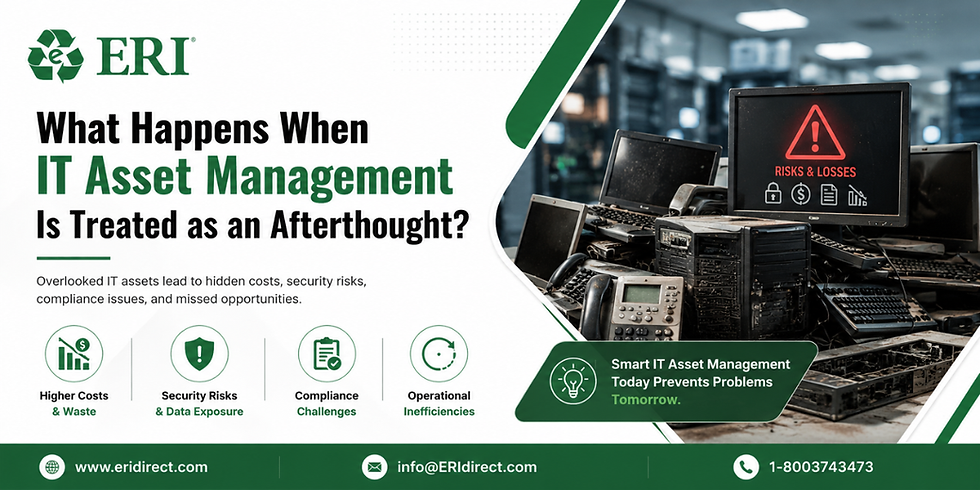
Lost Visibility Can Create Expensive Problems
A company cannot manage equipment properly if nobody knows where it is or who is using it.
Devices Can Disappear From Internal Records
Staff move roles, work remotely or quit the organization.
Poor records could lead to equipment being assigned to people who no longer utilise it. Other gadgets may be retired and no one may know if they function or whether they are needed.
Over time, the gap between what the organization has and what it can really locate, can increase.
Unnecessary Purchases Become More Likely
A department may ask for new equipment because there appears to be nothing available.
At the same time, serviceable equipment may be sitting in a storage room or returned by former employees. Better visibility can help businesses understand what they have in place before they invest money on replacements.
Security Risks Can Continue After a Device Leaves Active Use
A device does not become risk-free when an employee stops using it.
Old Equipment May Still Contain Business Data
Information can be stored on laptops, desktops, printers and other devices.
Where the organization does not have a clear method for disposing obsolete equipment, sensitive data may stay on hardware that is stored, moved, recycled or discarded.
An organised approach to IT asset management lets businesses track equipment through the various stages of its lifecycle.
Retired Devices Can Be Forgotten
Technology can build swiftly.
Older items often are stored in cabinets, warehouses or other storage locations as a corporation focuses on active equipment. Such equipment can sit for years without a clear choice on reuse, retirement or responsible disposal.
Poor Tracking Can Affect Everyday Operations
Asset problems can become visible when employees need equipment urgently.
New Employees May Wait Longer for Devices
Asset concerns may become evident when employees have an urgent need for equipment.
Longer wait times for new employee devices
A new person may be ready to go to work, but the organization may not know what gadgets are on hand.
Staff will then have to explore storage, place an urgent order or prepare equipment that should have been spotted earlier.
Support Teams May Work With Incomplete Information
IT teams need to know what devices are in use and what software or configurations they have.
Troubleshooting can be harder without complete or up-to-date records. It might also generate misunderstanding as to whether a device is still supported or soon to be replaced.
The End of an Asset's Life Needs a Clear Process
Retirement is part of the technology lifecycle.
Not Every Old Device Is Ready for Disposal
Some of the equipment may have some usable life left in it.
It might be moved to another employee or used for some other purpose. Examining the condition of the returned equipment helps identify the next step.
Some Equipment Can Be Recycled Responsibly
Printers, fax machines, PCs and other devices include items that should not be thrown into ordinary trash streams.
An IT asset management company can help an organization coordinate equipment recovery and safe end-of-life handling as part of a broader IT strategy.
A More Organised Approach Can Support Better Decisions
The purpose of managing assets is not simply to maintain a long spreadsheet.
Better Records Can Support Purchasing Decisions
Decision makers are more informed if they know the age, condition and location of existing equipment.
They can see what equipment may need to be replaced and what equipment has life left.
Lifecycle Planning Can Reduce Surprises
Eventually equipment needs repair, replacement, or retirement.
Planning for these stages can help businesses avoid big purchases and last minute disposal decisions.
Outside Support May Simplify Complex Processes
In transit between offices, employees and storage facilities, large businesses can have thousands of devices.
In these instances, IT asset management solutions can help to coordinate inventory, tracking, recovery and end-of-life activities.
FAQs
Why is tracking IT equipment important for smaller organisations?
Smaller businesses can also lose money if equipment is lost or replaced unnecessarily. Keeping basic records might help you know what technology you have and when you might need to replace it.
Should printers and other office equipment be included in asset records?
Yes. Equipment beyond computers can also have financial value, stored information, or disposal requirements. Including relevant devices provides a more complete picture of company-owned technology.
How often should an organisation review its asset inventory?
The appropriate schedule depends on the size of the organisation and how frequently equipment moves. Regular reviews can help identify missing, retired, or incorrectly recorded assets.
Treating Technology as a Full Lifecycle Responsibility
If an organization only reacts to IT asset management when there is an issue, it may already be suffering from missing equipment, unanticipated charges or decommissioned devices that were never properly handled.
Equipment has a life cycle, from acquisition, through active use, to retirement, and it is easy to see this. This provides companies with greater visibility and makes it easier to manage technology decisions over time.


Comments